


Invoice Automation: From Manual AP to Agentic Payment Execution
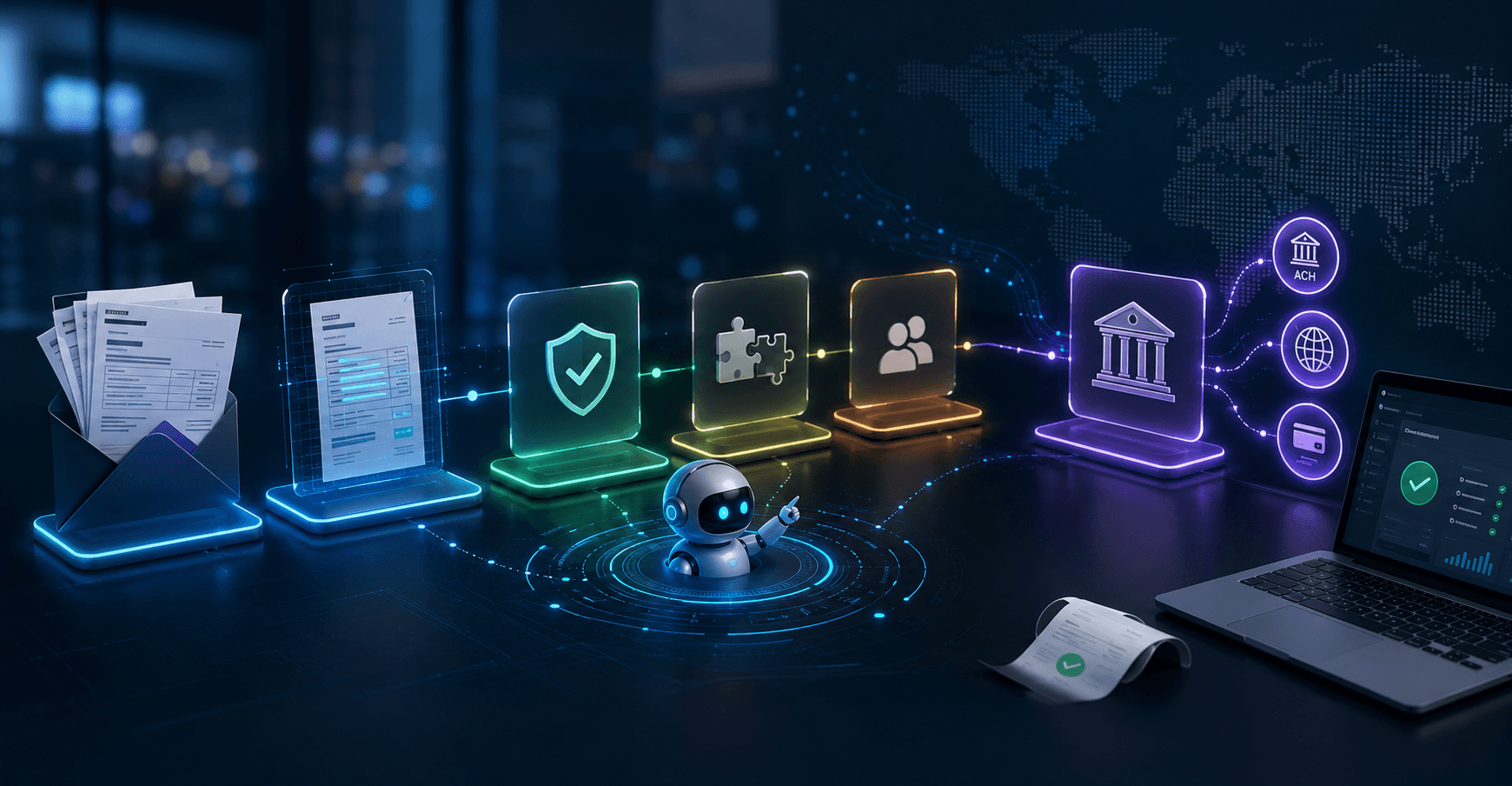
Invoice automation is the practice of using software (and increasingly AI agents) to handle every stage of the accounts payable cycle, without requiring a human to touch each step manually. Implementations usually automate through approval but leave payment execution locked inside a vendor dashboard that external agents can’t reach.
Most dedicated AP platforms already move ACH, wire, and card payments automatically once an invoice is approved. That payment execution step exists, but it lives entirely inside the vendor’s own product, accessible only through their dashboard or their own built-in automation logic. Any agent you bring to the workflow yourself (Claude Code, ChatGPT, a custom script running outside that platform) has no path to trigger that execution.
This guide walks all seven stages of the invoice-to-payment cycle, focusing on how you can make payment execution something an AI agent can call directly.
What “invoice automation” covers
The full invoice-to-payment cycle spans seven stages:
- Capture: inbound invoices arrive by email, upload, or API
- Extraction: parsing vendor name, invoice number, line items, amounts, payment terms, due date, and PO reference
- Validation: cross-checking extracted fields against vendor master records and open purchase orders
- Matching: reconciling the invoice against the PO and, where applicable, a goods receipt
- Approval: routing to the right approver based on amount thresholds, department, or vendor category
- Payment execution: initiating ACH, wire, or card transfer to the vendor
- Reconciliation: marking the invoice paid and syncing the transaction to accounting software
Most AP platforms automate through step 6 but diverge on whether step 6 can be triggered by something outside the vendor’s own interface. If the answer is “only by a human on the dashboard,” the workflow is still only semi-automated.

Manual, semi-automated, and fully agentic automation
AP automation falls into three tiers, and most organizations land at tier two and stop there.
- Manual: This is the baseline. PDF invoices arrive by email, someone keys the data into the ERP, an approver gets notified over Slack, and payment happens when that person logs into the banking portal and clicks through. At scale, this adds $9.87 to $21.40 in direct cost per invoice and a 9.2-day average cycle time. That’s manageable at low volume but expensive and error-prone once you’re processing hundreds of bills a month.
- Semi-automated: This is the most common real-world state among businesses that have adopted a dedicated AP tool. OCR handles extraction, rule-based logic flags mismatches, and approval routes digitally. Payment may execute automatically once approved, but only through the platform’s own dashboard or its own internal automation engine. Nothing in that chain is reachable by an agent the business brings itself, so you’ve automated the workflow into a closed system.
- Fully agentic: This means the AI agent handles the entire cycle. It receives the invoice, extracts and validates, matches against PO or contract, routes for approval or executes autonomously within configured guardrails, initiates payment via a banking API, marks the invoice paid, and syncs to accounting software. The human handles exceptions only. This tier requires a banking backend that exposes a native agent interface.
The capture and extraction layer: OCR, ML, and structured data
Invoice capture is a solved problem at the surface level. Extracting data reliably across the enormous variety of invoice formats vendors actually send remains a challenge for many tools.
Template-based OCR works by mapping fields to fixed positions on a known document layout. It’s fast to set up for a handful of vendors with consistent formats, but it breaks whenever a vendor redesigns their invoice, sends a scanned PDF with low DPI, uses a multi-page layout, or issues invoices in a non-Latin character set. At scale, with hundreds of vendors, template-based OCR requires constant maintenance to stay accurate.
ML-based extraction trains on large corpora of invoice documents and learns to identify fields by content and context rather than position, so it handles layout variation without needing a per-vendor template. A template-based system might achieve high accuracy on invoices from one specific vendor and fail entirely on new formats, while an ML-based system generalizes across formats at the cost of slightly more complex setup and a training pipeline.
The key fields to extract are vendor name, invoice number, line items with unit prices and quantities, subtotal and total amounts, tax, payment terms, due date, and PO reference number. That last field is the link between the invoice and your purchasing records, and if it’s missing or misread, matching fails downstream.
Validation catches errors before they become expensive. Cross-check extracted data against your vendor master file (does this vendor exist? does the account on file match?) and against open POs (is there a matching purchase order in the right amount?). Errors that reach payment execution are much more costly than those caught at validation.
Matching logic and approval workflow architecture
Once extraction and validation are complete, the invoice needs to be matched and approved before payment is authorized.
Two-way matching compares the invoice against the purchase order: do the vendor, line items, quantities, and amounts align? This works well for services and recurring vendor bills where physical delivery isn’t tracked. Three-way matching adds the goods receipt to the comparison, so you only pay when the invoice matches both the PO and confirmed delivery. Three-way requires receiving records in your system, which means procurement and receiving teams need to be logging receipts consistently. Three-way matching is standard for physical goods, and two-way is usually sufficient for software subscriptions, cloud services, and contractor payments.
Approval routing design trips up more teams than expected. Rule-based routing (route to the department head if over $5,000, route to the CFO if international, auto-approve if the vendor is on the allowlist and the amount is under $500) covers the majority of cases and is easy to audit. AI-driven routing can learn from historical approvals and handle edge cases, but it introduces non-determinism into a financial workflow, which requires careful testing and explicit fallback rules before you rely on it.
Recurring vendor bills deserve special treatment. An agent comparing incoming bills against historical averages can automatically hold payment if a bill spikes beyond a configured threshold, flagging it for human review rather than letting it flow through unchecked. If your AWS bill has averaged $1,400/month over the last three months and a new invoice arrives at $4,200, that’s a signal worth pausing on before executing payment.
Vendor master file integrity is the most common vector for invoice fraud and business email compromise. Any change to a vendor’s bank routing number or account number should trigger out-of-band verification (a direct callback to a known contact, not a reply to the email requesting the change) before the next payment to that vendor executes. This requirement becomes more pressing once an agent is initiating payments without a human reading every line. Build this check into your workflow before enabling any autonomous payment execution.
Payment execution
The payment execution layer is where most automation pipelines stop responding to outside input. The only thing that can actually send money is a human clicking “Confirm” inside the AP platform’s interface, or that platform’s own embedded automation, equally closed to external agents.
A banking platform needs to expose specific capabilities for genuine automation:
- A programmable payment API that accepts ACH and wire transfers
- Per-agent permissioning so different agents have different access levels
- An approval-before-execution default so agents draft payments and wait for human sign-off before anything moves
- Reconciliation hooks that sync back to accounting software once payment clears
Meow’s MCP server at mcp.meow.com exposes invoice management, bill drafting, and payment execution as agent-callable tools, meaning any MCP-compatible agent (Claude, ChatGPT, Cursor, Gemini) can interact with these capabilities without custom integration code. The skills manifest at meow.com/skills.md is a machine-readable document that teaches LLMs how to use Meow’s MCP tools, handling the onboarding step for new agent configurations automatically. Meow also provides a REST API for direct integrations. Refer to Meow’s documentation for current endpoint details and authentication requirements.
Payments are always drafted first. Agents can’t move money unilaterally. Every payment enters a pending state that requires explicit human approval before execution, which is the right behavior for financial workflows, especially while you’re validating a new automation setup.
Connecting an AI agent to the full invoice-to-payment cycle
Meow supports four setup paths, depending on how your agent is structured.
OAuth for interactive assistants covers the “Connect a client” flow for tools like Claude or ChatGPT running in a conversational interface. The CLI path for coding agents uses claude mcp add --transport http meow https://mcp.meow.com. Agent-led setup has the agent read meow.com/skills.md and complete onboarding autonomously. Direct REST API with API key authentication covers any agent or script calling Meow’s API directly.
Authentication uses API keys and OAuth for agent integrations, keeping credentials scoped and manageable across different deployment types.
Supervised mode (human-in-the-loop) is the right starting point for any new AP workflow. The agent pulls vendor banking details from saved payees in Meow, prepares ACH transfers matching invoice amounts, and surfaces a batch notification in the Meow dashboard: “5 payments prepared, totaling $3,247.00. Approve or reject each.” One tap approves the batch, and the agent takes it from there, marking the invoices paid and syncing transactions to QuickBooks or Xero, without anyone touching a banking portal or entering a routing number.
Autonomous mode (agent-in-the-loop) operates within guardrails the business owner configures, including spend limits per vendor, transfer caps per day, and an allowlist of approved payees. The anomaly detection layer runs on top of those rules. If an AWS bill arrives at $4,200 against a three-month average of $1,400, the agent holds the payment and alerts the owner rather than executing. Human involvement is reserved for exceptions, and any change to a vendor’s banking details always routes to a human for out-of-band verification, regardless of amount, before the next payment to that vendor executes.

Multi-agent architecture is where the scoped API key model pays off. Each agent gets its own API key with independent permissions on the same account. An AP agent handles incoming bills (reviewing, matching, initiating payments), while a separate AR agent handles outbound invoicing: creating branded invoices via Meow’s invoicing feature, monitoring for incoming payments, sending day-25 follow-up reminders, and escalating overdue accounts. The scoped keys mean a compromised or misbehaving AR agent can’t initiate outbound payments, because permissions are isolated by design.
The four OAuth capability scopes are meow.read (always granted: balances, transactions, statements, counterparty lookup), meow.transfers (wire, ACH, and book transfers), meow.cards (corporate card actions), and meow.billing (invoicing and bill pay). Scopes are granted during the OAuth consent flow, and the human approves or denies each one individually. Agents can’t self-select scopes.
Frequently asked questions
What is invoice automation and how does it differ from manual AP processing?
Invoice automation uses software or AI agents to handle accounts payable tasks (data extraction, PO matching, approval routing, payment execution, and reconciliation) without requiring a human to touch each step. Manual AP processing requires staff to key invoice data, chase approvals, and log into banking portals to send payments, typically adding $9.87 to $21.40 in direct cost per invoice and a 9.2-day average cycle time.
What is the difference between two-way and three-way invoice matching?
Two-way matching compares an invoice against its purchase order, checking that vendor, line items, quantities, and amounts align. Three-way matching adds a goods receipt to that comparison, so payment only executes when the invoice matches both the PO and confirmed delivery. Three-way matching is standard for physical goods, and two-way is usually sufficient for software subscriptions, cloud services, and contractor payments.
Why can’t most AI agents trigger payment execution directly?
Most AP platforms process payments through their own internal automation engine or dashboard, which external agents have no programmatic access to. An agent you bring to the workflow (Claude Code, ChatGPT, a custom script) can’t call into that closed system. Closing this delta requires a banking platform that exposes payment execution as an agent-callable API endpoint with scoped permissions.
What is an MCP server and what does it enable for AP automation?
An MCP (Model Context Protocol) server exposes a set of tools that any compatible AI agent can call without custom integration code. For AP automation, an MCP server that exposes invoice management, bill drafting, and payment execution means agents like Claude, ChatGPT, Cursor, or Gemini can interact with those capabilities directly, removing the need to build bespoke connectors for each agent type.
What guardrails should be in place before enabling autonomous payment execution?
Before enabling autonomous mode, configure per-vendor spend caps, a daily transfer cap, and a vendor allowlist limited to predictable recurring bills. Set anomaly detection thresholds per vendor based on at least three months of billing history. Verify that your accounting software sync is active and reconciling correctly, and test the anomaly alert path using a synthetic over-limit bill in a sandbox environment before relying on it in production.
How should vendor banking detail changes be handled in an automated AP workflow?
Any change to a vendor’s bank routing number or account number should trigger out-of-band verification (a direct callback to a known contact at the vendor, not a reply to the email requesting the change) before the next payment to that vendor executes. This check should be mandatory for all payments and should apply even in fully autonomous configurations.
What is the right starting point for a team new to agentic AP automation?
Start with supervised mode on a bounded set of invoices. The agent drafts payments and surfaces a batch notification for human review before anything executes. Run two to three cycles in this mode to confirm that extraction, matching, and draft payment amounts are accurate. Only after auditing those cycles should you configure autonomous rules, and even then, start with conservative spend caps and a narrow vendor allowlist.
Build your first agentic AP workflow today
The fastest path to a working agentic AP workflow is supervised mode with a bounded set of invoices.
- Install the Meow CLI (see meow.com for current installation instructions)
- Connect Claude Code to the MCP server: claude mcp add --transport http meow https://mcp.meow.com
- Authenticate via Meow’s agent authentication flow
- Point the agent at your first batch of AP invoices and let it draft payments in supervised mode
- Review the batch notification in the Meow dashboard and validate each drafted payment before approving
Don’t enable autonomous rules on the first run. The point of the first two to three cycles is to confirm that extraction, matching, and draft payment amounts are accurate before you remove the approval step.
Once you’ve audited a few cycles and confirmed accuracy, configure autonomous mode with conservative starting limits. These should cover per-vendor spend caps, a daily transfer cap, and a vendor allowlist limited to your most predictable recurring bills (SaaS subscriptions, cloud providers, established contractors). Add anomaly detection thresholds per vendor based on your last three months of billing history.
Before going autonomous, verify three things: QuickBooks or Xero sync is active and reconciling correctly, per-agent transfer limits are set in the Meow dashboard, and you’ve tested the anomaly alert path using a synthetic over-limit bill in Meow’s sandbox environment. That last step is worth the 20 minutes. You want to see the alert fire before you’re relying on it in production.
A callable payment API turns the last manual step in the cycle into something your agent can execute on its own. Connect your AI agent to Meow’s MCP server and run your first AP batch in supervised mode today. Get started at meow.com