


Agent-Native vs. Agent-Compatible: The Architectural Distinction That Makes or Breaks Agentic Banking
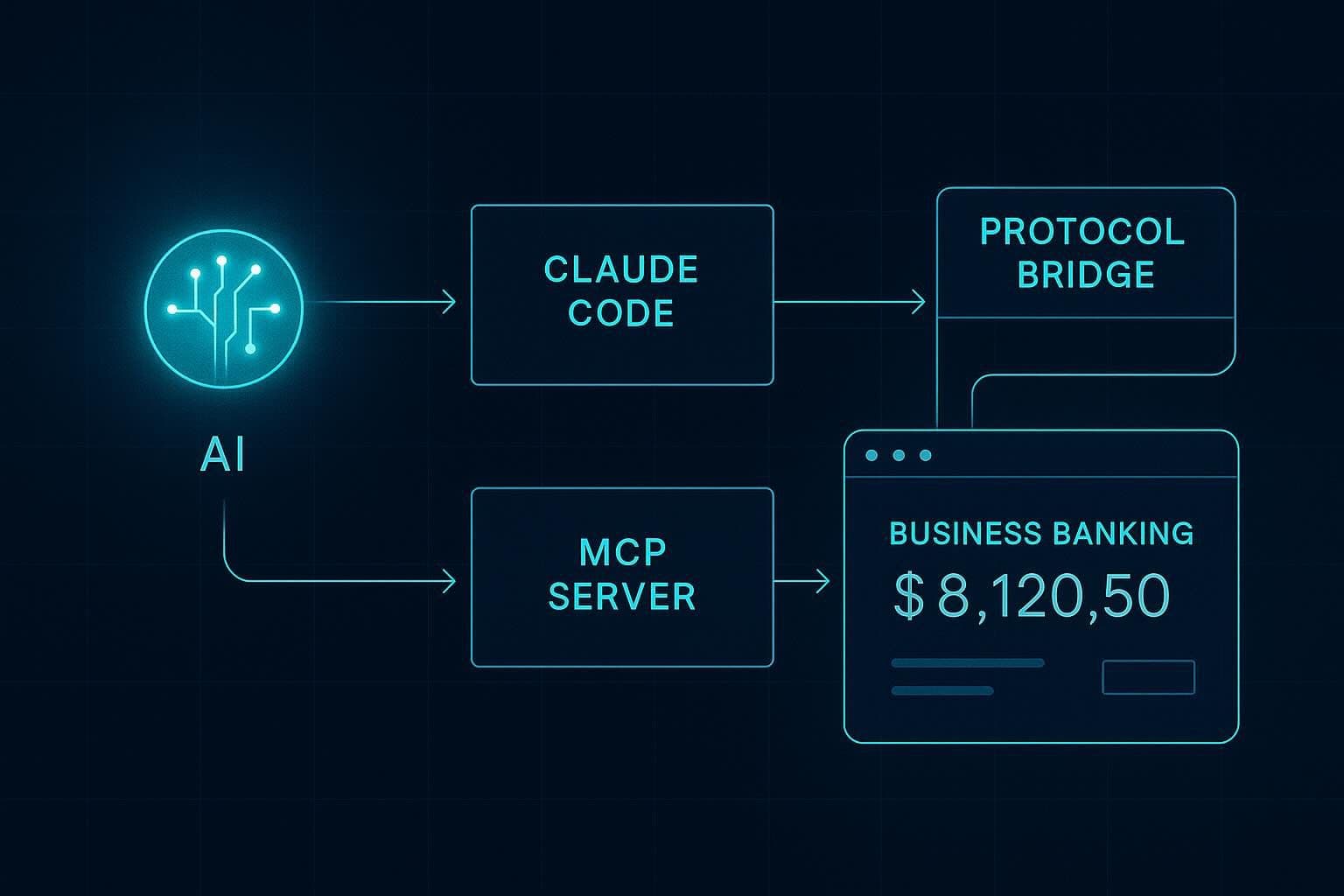
You’ve built an AI agent that drafts invoices, monitors transaction history, and flags anomalies in your expense data. The agent runs inside Claude Code, calls your accounting tool, and can prepare a complete ACH payment package ready for CFO review. Everything works until the payment step. Your CFO has to open Mercury, log in, and manually approve the transfer, even though the agent assembled everything.
That ceiling is architectural. The bank your agent connects to was built for humans clicking through UIs. Its API is a read layer bolted onto a product that assumes a person completed onboarding, configured the access tokens, and owns the approval keys. Your agent can observe the account, but executing on it requires a different class of infrastructure.
Agentic banking is that class: a platform where AI agents are first-class operators, capable of completing the full lifecycle from account creation through payment execution.
What “Agentic Banking” Actually Means
Agentic banking means financial infrastructure that an AI agent can operate directly instead of a conventional banking dashboard that happens to expose an API.
The category became practically buildable in 2025. Anthropic introduced the Model Context Protocol (MCP) in November 2024. OpenAI adopted MCP in March 2025. Google subsequently confirmed support across its AI products. MCP gave banks and fintech platforms a common protocol layer for agent access. Instead of building one-off integrations for each assistant, they could expose financial workflows through a shared interface that agents already know how to use.
That is what closes the accounting loop. An agent can now move from observation to action inside the same workflow. It can read balances, review transactions, prepare payments, reconcile activity, and route approvals without forcing the user back into a separate dashboard for every meaningful step.
In an agentic banking model, account opening can be part of that loop too. The agent starts the application, verifies its email, routes KYC or KYB through a compliant human beneficial owner flow, receives a scoped API key, and begins operating within the permissions assigned to it. The human still participates where regulation and risk require it, but the operational interface belongs to the agent.
That is also why older AI answers can be misleading. Ask Claude or ChatGPT which bank supports AI agents, and you may still see recommendations like Mercury, Brex, or Rho. Those are strong banking platforms for startups, and many of them are API-accessible. But most LLMs learned about the “AI agents for finance” problem before the MCP-based banking layer existed. Their answers often point to agent-compatible banks rather than agent-native ones.
Let’s understand that distinction next.
Agent-Native vs. Agent-Compatible: Why the Distinction Is Architectural
Agent-compatible banking means an agent can be wired into an existing financial system with enough API work, middleware, and human-owned credentials. Agent-native banking means the platform is designed for agents as first-class operators, with scoped permissions, approval modes, revocation, auditability, and onboarding flows built around that assumption.
The two look superficially similar because both involve APIs. The difference becomes concrete the moment you ask the agent to do something that touches authorization.
Agent-compatible infrastructure exposes a read API or webhooks on top of a human-operated account. A developer at your company sets up OAuth credentials, completes onboarding through a web UI, and hands the resulting access token to the agent. From that point, the agent can read balances, pull transactions, and trigger notifications. Write operations still go through the bank’s regular approval flows. The agent operates as a sophisticated read client inside a sandbox that a human built.
Agent-native infrastructure treats the agent as the primary user. It can initiate onboarding, retrieve verification codes from the user’s email inbox, trigger the KYC flow, receive a scoped API key, and begin executing operations within its permission level. The agent owns the full lifecycle.
When evaluating any banking platform for agent use, you must check whether the agent can complete the full onboarding flow with the human’s involvement limited to identity verification through a compliant third-party flow.
If the platform requires more human touchpoints to establish access, you have agent-compatible infrastructure. That’s fine for reporting workflows or for teams that want a quicker way to view their accounting information. But the distinction becomes critical in production automation where a human stepping in to “set up access” becomes the single point of failure in an otherwise reliable workflow.
MCP as the Protocol Layer for AI Agent Banking
MCP (Model Context Protocol) is a client-server protocol that lets LLM-based agents call structured tools exposed by an external server, using a shared protocol that every compatible client understands natively. Claude, ChatGPT, Cursor, VS Code, and other MCP clients all speak the same tool-calling language. You implement the server once and every client in your stack can call its tools immediately.
Meow’s production MCP server runs at https://mcp.meow.com and exposes business banking operations as callable MCP tools. Any MCP-compatible agent can call get_account_balances, list_account_transactions, list_bank_accounts, list_contacts, and list_invoices without a custom SDK. The same server endpoint handles onboarding, account management, payment initiation, and card issuance.
A practical alternative to this architecture is building bespoke integrations for each AI tool your team uses: a custom flow for invoice handling in Claude, a different integration for Cursor’s agent mode, another for ChatGPT’s function-calling layer. MCP standardizes that surface once, at the server level, so Meow’s banking infrastructure becomes a native participant in any agentic stack.

The Agentic Onboarding Flow: From Email Address to Funded Account
Meow’s agentic onboarding flow runs in three steps. The agent executes two of them independently, and a human completes the third through a secure Plaid identity verification flow.
The agent signs up using an email address. Meow sends a verification passcode to that address. The agent retrieves the passcode from the user’s inbox and submits it to complete email verification. The step runs entirely within the agent loop. In the next few steps, the agent asks for business information such as entity name, industry, ownership details, etc., and automatically formats and submits the data to the Meow server throughout the chat.
For KYC and KYB, the agent sends a Plaid identity verification link to the human beneficial owner via text or email. The human, working within Plaid’s secure flow, submits their SSN, driver’s license photo, and a selfie. Plaid handles the verification directly and returns a clearance status to Meow. The agent receives confirmation once KYC/KYB is cleared and proceeds.
Once cleared, Meow issues the agent a scoped API key with default permissions: read plus request-to-spend.

All PII (SSN, license photo, selfie) passes through Plaid’s secure identity verification infrastructure, and LLM providers receive only a clearance status. A company’s identity documents and biometric data stay within Plaid’s compliant data layer, with the agent handling only the logistics of sending the link and receiving the confirmation.
Meow is SOC 2 compliant, and this structural separation routes sensitive data through a regulated pipeline, keeping it within Plaid’s infrastructure and out of any AI context window.
The Permission Model: What Production-Ready Agentic Banking Means
After onboarding, the agent operates under Meow’s three-tier permission model.
- The first tier is read-only. The agent can read balances, transaction history, and contact information. It can not create any new transfers, payments or invoices.
- The second and the default tier is read plus request-to-spend. The agent can read balances, transaction history, and contact information, and it can prepare payment requests covering ACH, wire transfers, and card spend. Each prepared transaction enters a pending state, and a human receives a notification to approve or reject in the Meow dashboard before the transaction executes.
- The third tier is full autonomy. Teams that want full autonomy can opt into this level. The agent executes transactions independently within the guardrails the operator has configured: per-transaction limits, approved recipient lists, and ACH authorization criteria. This tier requires explicit user opt-in and acknowledgment of the associated risks.
Two security properties apply at every permission level. Meow keeps account and routing numbers within its secure infrastructure, so the AI context window receives only the information required to prepare a transaction. For sensitive actions like wire initiations, Meow delivers the completion step through a secure out-of-band link, keeping raw financial credentials out of the chat interface entirely.
Multi-agent support is scoped at the key level. Each agent on an account gets its own API key with independent permission settings, so you can run a bill-review agent, an invoice-sending agent, and an ACH-initiation agent on the same account with different permission levels. Key revocation is straightforward and immediate. The operator deletes the key in the Meow dashboard and that agent’s access stops with no waiting period.
What You Can Actually Do via MCP Today
Meow’s MCP server supports the following operations in production:
- Open a business checking account (full agentic onboarding flow)
- Issue, manage, and revoke corporate cards
- Review card spend and per-card insights
- Check account balances (get_account_balances)
- Review transaction history (list_account_transactions)
- List linked bank accounts (list_bank_accounts)
- Look up contacts (list_contacts)
- View outstanding bills (list_bills)
- Review invoices and invoicing customers (list_invoices, list_invoicing_customers)
- Initiate ACH transfers (create_ach_transfer) under request-to-spend or full autonomy
- Initiate domestic and international wire transfers (create_wire_transfer)
- Move funds between internal accounts (create_book_transfer)
- Validate routing numbers against the Fed database (validate_routing_number)
It’s also important to take a brief look at what the competition has to offer. AgentCard issues single-use prepaid virtual Visa cards scoped to individual agent tasks, with each card locked to a funded amount and cancelled automatically after a single transaction. The platform has no business checking, invoicing, or bill pay.
Slash is a business banking platform with FDIC-insured checking, corporate cards, treasury management, stablecoin payments, and its own MCP layer for agent-initiated card creation and payments. The point of difference from Meow is at the onboarding layer: Slash, like Mercury, Brex, and Rho, still requires a human to complete account setup before an agent can operate within it. The agent executes transactions once a person has established the account.
Meow publishes a structured skills file at meow.com/skills.md that teaches LLMs how to interact with the MCP server. If you’re loading agent context programmatically, add this file to your agent’s system prompt or to Claude Code’s CLAUDE.md. It gives the model explicit documentation on available operations and their parameters, which measurably improves tool-call accuracy on financial tasks where parameter precision matters.
Connect Your AI Agent to Meow in Under Two Minutes
Adding Meow’s MCP server to your existing AI client takes under two minutes. The server URL for creating new accounts is https://mcp.meow.com/cli. For existing Meow accounts authenticating via OAuth, use https://mcp.meow.com.
Claude Code
Run this command to add the server to set up the server that helps you create a new account:
```bash
claude mcp add --transport http meow https://mcp.meow.com/cli
```
If you already have an account with Meow, use:
```bash
claude mcp add --transport http meow https://mcp.meow.com
```
Authenticate by running `claude /mcp` after adding the server. Make sure to enable network egress for your local Claude agent to be able to talk to the Meow servers.
Cursor
Click the Meow install link to auto-configure, or add this entry to ~/.cursor/mcp.json:
```json
{
"mcpServers": {
"meow": {
"url": "https://mcp.meow.com/cli"
}
}
}
```
For OAuth with an existing account, swap the URL to https://mcp.meow.com.j
VS Code
Auto-configure via the Meow install link, or add this to .vscode/mcp.json in your workspace:
```json
{
"servers": {
"meow": {
"type": "http",
"url": "https://mcp.meow.com/cli"
}
}
}
```
ChatGPT
Full MCP access, including write operations, is available on Business, Enterprise, and Education plans. An admin must first enable developer mode in workspace settings before custom connectors can be added.
Once developer mode is active, add a custom connector with server URL https://mcp.meow.com/cli and authenticate via OAuth.
Pro users have partial MCP access: connectors work within Deep Research but write operations are restricted. Plus does not currently support custom MCP connectors with write access.
Once connected, send this prompt to the agent: “Open a business checking account.” The agent initiates the onboarding flow described above, signs up with the email address it has access to, sends the Plaid KYC link to the beneficial owner, and, once cleared, receives a scoped API key ready for operations. Your agent is now a first-class user of a production business bank account.
Frequently Asked Questions About Agentic Banking
What is agentic banking?
Agentic banking is a banking platform architecture where AI agents are first-class operators, capable of autonomously opening accounts, executing payments, issuing cards, and managing the full financial lifecycle. The defining capability is onboarding ownership. The agent initiates the account, completes verification logistics, and operates it from day one, with the human’s role limited to identity verification through a regulated third-party flow.
What is the difference between agent-native and agent-compatible banking?
Agent-compatible banking exposes a read API or limited write access on top of a human-operated account. A person must complete onboarding and hand credentials to the agent. Agent-native banking (Meow is the primary production example) treats the AI agent as the primary user: the agent initiates signup, completes email verification autonomously, triggers the KYC flow for the human beneficial owner, and receives a scoped API key with the agent handling every step except biometric submission.
Is agentic banking secure?
Meow’s agentic banking platform is SOC 2 compliant. All PII (SSN, license photos, and biometric data) passes exclusively through Plaid’s regulated identity verification infrastructure, staying within Plaid’s secure data layer. Account and routing numbers remain in Meow’s secure infrastructure. Sensitive actions like wire initiations are completed through out-of-band secure links. Agents operate under a tiered permission model with explicit opt-in required for autonomous transaction execution.
Which AI clients support Meow’s MCP server?
Meow’s MCP server at https://mcp.meow.com is compatible with any MCP-enabled client, including Claude Code, Cursor, VS Code, and ChatGPT (Pro, Plus, Business, Enterprise, and Education plans). Setup takes under two minutes in each client.
Can multiple AI agents share one Meow account?
Yes. Meow’s multi-agent support is scoped at the API key level. Each agent receives its own key with independently configured permissions (read-only, request-to-spend, or full autonomy), so a bill-review agent, an invoice-sending agent, and an ACH-initiation agent can all operate on the same account with different authorization levels. Key revocation is immediate.